PET Image Analysis
1. Overview:
OPETIA provides a user-friendly interface for the pre-processing of dynamic/static PET images, which is essential for accurate analysis in multimodal neuroimaging studies. The tool automates the entire process, ensuring that users do not need extensive technical knowledge to perform complex image analyses. However, all the details of the image pre-processing are provided and can be modified by the user if needed.
Since most PET images are dynamic and contain several volumes, OPETIA by default considers the input image dynamic. However, OPETIA automatically detects the number of volumes in the image. In case of static PET image, OPETIA automatically implements functions for static PET images.
Note
A dynamic PET image is a single PET.nii.gz with several volumes. A static PET image is a single PET.nii.gz with one volume.
PET image processing requires a T1-weighted MRI image processed by OPETIA.
Input data:
PET volumes (PET.nii.gz)
Pre-processing steps:
All the pre-processing steps are depicted as a flowchart within OPETIA. In brief, the steps include:
Processing Stage |
Primary Tool |
Secondary Tools |
|---|---|---|
Splitting the dynamic PET image into several volumes (if the image is dynamic) |
nibabel |
NumPy |
Co-registration of the first PET volume to the native T1 space (6 degrees of freedom) |
ANTsPy |
– |
Co-registration of the remaining PET volumes to the result of previous stage (6 degrees of freedom) |
ANTsPy |
– |
Summing all resulting volumes to create a static PET image |
nibabel |
NumPy |
Skull stripping of all PET volumes (brain extraction) |
ANTsPyNet |
ANTsPy |
Smoothing to increase the signal-to-noise ratio in native space |
SciPy (Gaussian filter) |
nibabel |
Segmentation of Gray Matter (GM), White Matter (WM), and Cerebrospinal Fluid (CSF) in native space |
ANTsPy (Atropos) |
nibabel |
Co-registration from native PET to native T1 space (6 degrees of freedom) |
ANTsPy |
– |
Non-linear registration to the MNI-152 template (2×2×2 mm voxel size) (12 degrees of freedom followed by >12 degrees of freedom) |
ANTsPy |
– |
Smoothing to increase the signal-to-noise ratio in MNI space |
SciPy (Gaussian filter) |
nibabel |
Segmentation of Gray Matter (GM), White Matter (WM), and Cerebrospinal Fluid (CSF) in MNI space |
ANTsPy (Atropos) |
nibabel |
2. Running the PET Pre-processing:
From OPETIA, run the PET Image Processing tool. All needed to be done is to input the path to the PET volumes (data/subject1/PET.nii.gz) and press the Process data button.
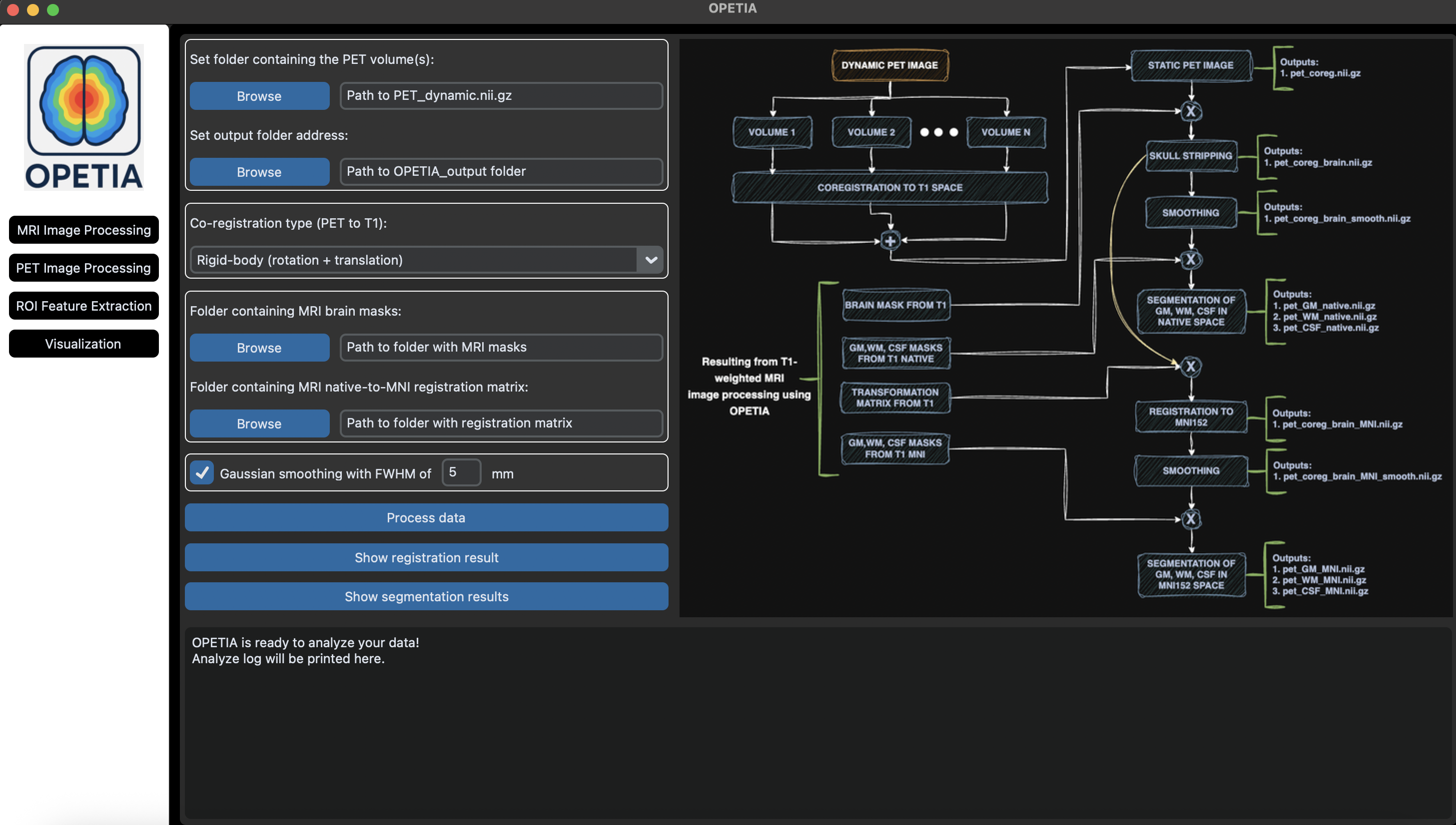
Note
The logbox prints the log of the pre-processing. If there are any errors, you can read about them in the Terminal.
3. Output files:
All the outputs will be saved in the folder data/subject1/OPETIA_output (automatically created when processing thr T1 image). These include:
PET_coreg.nii.gz: The co-registered PET image to the native T1 space.PET_coreg_brain.nii.gz: The skull-stripped co-registered PET image to the native T1 space.PET_coreg_brain_smooth.nii.gz: The smoothed skull-stripped co-registered PET image to the native T1 space.PET_coreg_brain_smooth.nii.gz: The smoothed skull-stripped co-registered PET image to the native T1 space.PER_coreg_brain_MNI.nii.gz: The skull-stripped co-registered PET image to the MNI space.PER_coreg_brain_MNI_smooth.nii.gz: The smoothed skull-stripped co-registered PET image to the MNI space.PET_GM_native.nii.gz: The GM segmentation of the PET image in the native space.PET_WM_native.nii.gz: The WM segmentation of the PET image in the native space.PET_CSF_native.nii.gz: The CSF segmentation of the PET image in the native space.PET_GM_MNI.nii.gz: The GM segmentation of the PET image in the MNI space.PET_WM_MNI.nii.gz: The WM segmentation of the PET image in the MNI space.PET_CSF_MNI.nii.gz: The CSF segmentation of the PET image in the MNI space.
4. Quality Control:
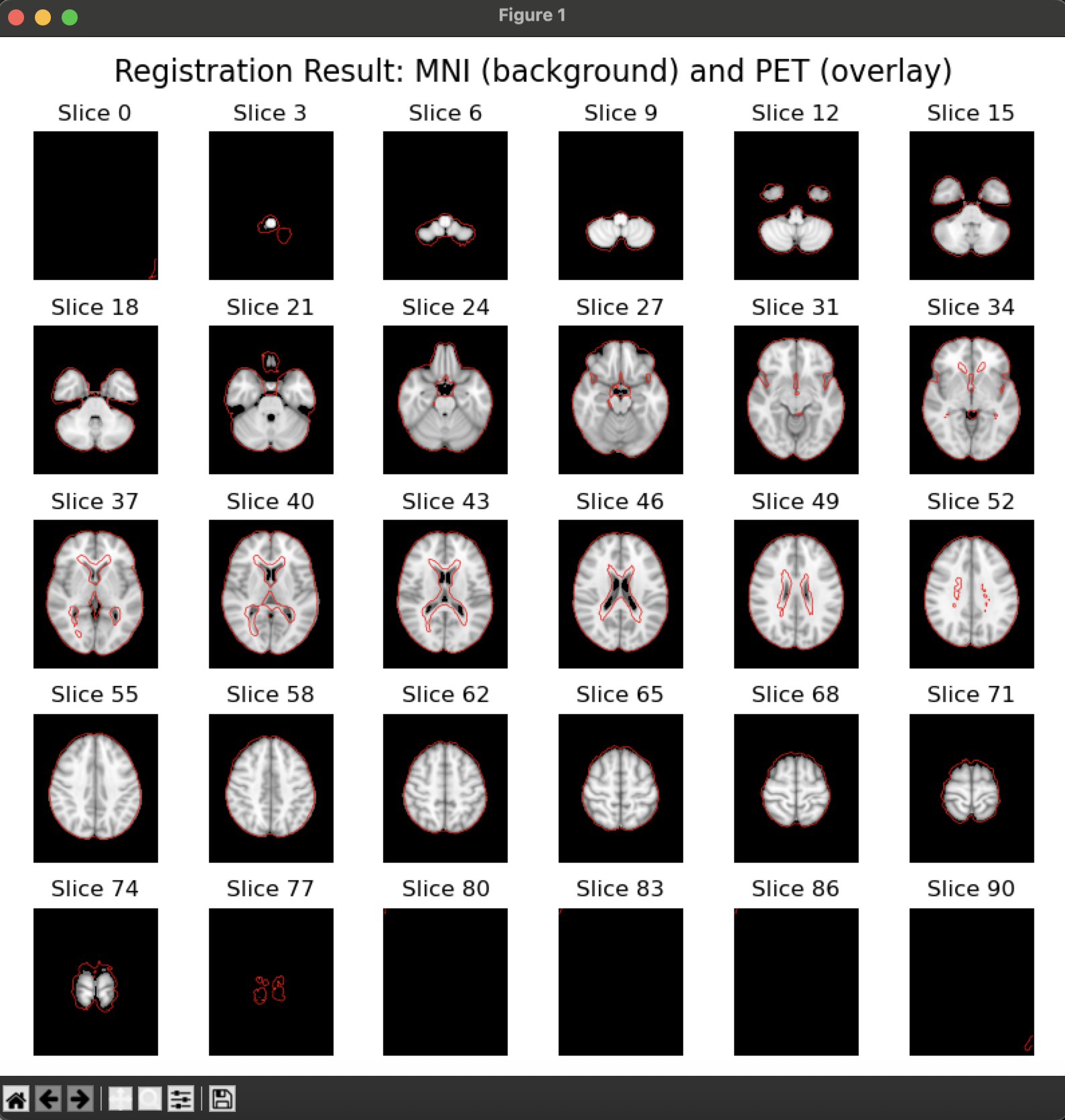
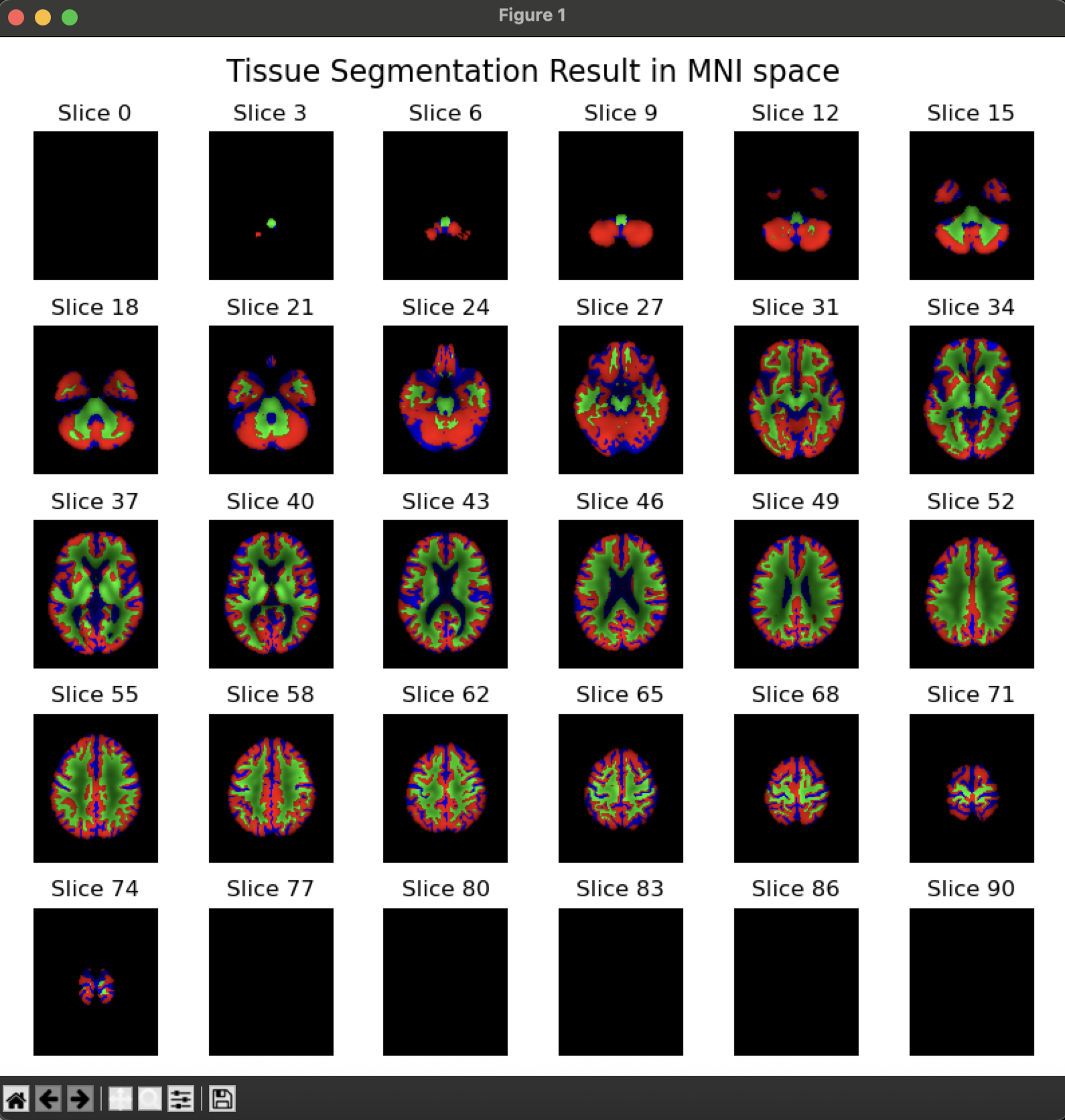
By pressing the
Show registration resultbutton, an image will appear containing the MNI-152 template on the background and the pre-processes PET image as an overlay. The user can visually inspect the quality of the pre-processed image.By pressing the
Show segmentation resultbutton, an image will appear containing the segmented GM, WM, and CSF in different colors. The user can visually inspect the quality of the segmentation.
5. Advanced Options:
Co-registration type (PET to T1):
The user can select the type of co-registration of PET to T1 space from the following options:
Translation (shifts): Aligns images by shifting along x, y, z.
Rigid-body (rotation + translation): Aligns with shifts and rotations, preserving shape.
Rigid + uniform scaling (Similarity): Adds uniform resizing to rigid alignment.
Affine: Allows scaling, shearing, rotation, and translation.
Gaussian smoothing kernel (FWHM in mm): The user can select the size of the Gaussian kernel for smoothing the PET images in both native and MNI spaces. The default value is 6mm.